1Matchup placement
Reads the defenders from a first simulation, then puts each unit in the lane where its damage suits the defense and it takes the least fire. Uses the game's own armor classes, damage per armor class, unit levels and terrain.
 vdr.one
CnCTA AutoSIM
Browser extension · Command & Conquer: Tiberium Alliances
A script pack for Tiberium Alliances with the TABS Auto Optimizer: it runs simulations one after another and puts the best attack formation on the board.
2.9 MB · free · for non-commercial use · how to install
Example run · illustrative values
| # | Move | CY | DF | Army | Repair |
|---|
Press Start to play an example run.
The demo runs faster than the real thing: the game allows about one simulation every 3 seconds.
Real screenshots. The Optimizer lives next to the TABS buttons, so there is nothing new to learn.
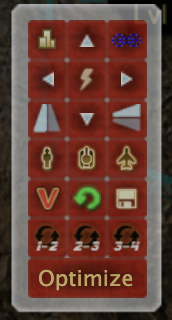
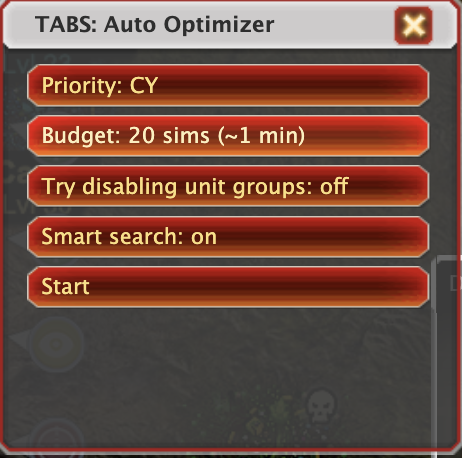
It starts from the formation you set up, then tries neighbouring formations with the game's own simulation and keeps the best one. CY is the Construction Yard, DF the Defense Facility.
Reads the defenders from a first simulation, then puts each unit in the lane where its damage suits the defense and it takes the least fire. Uses the game's own armor classes, damage per armor class, unit levels and terrain.
Vertigos on and beside the target lane, a cloaked Commando down it in a later wave. Also tried with the Commando carried in a Reckoner, and aimed at the Defense Facility's lane.
Moves single units, air first, into the lane of the target building, and puts the Commando in the latest wave of that lane and the lanes beside it.
Once the CY falls, the units that cost the most repair time stay at home, as long as the CY still falls without them.
As soon as the CY or the DF is down (on a second attack: right away), only air units go down the CY lane, one per wave, weakest first. Often a kill with no repair.
Stops early once the target is destroyed and nothing better turns up. Formations that were already simulated cost nothing, and the TABS statistics window keeps working.
Use the TABS presets (CY, DF, Deff, CC, CY*) or the extra one:
CY (else DF) + low repair: destroy the CY. If no formation can, destroy the Defense Facility, leave as little defense standing as possible and push on the CY for your next attack. Then the lowest repair time wins, scored the game's way: the longest of the infantry, vehicle and aircraft repair.
Good to know. It never simulates faster than the game itself allows. It waits for the simulator's own lock before every run, so the budget is also a time budget. Don't move units or leave the screen while it runs.
Single bases in the real game, not promises. Results differ per base and formation.
Checked against real raid reports: army %, enemy % and repair time matched the simulation to the second.
18 scripts, all switched on by default and each one switchable in the options. Based on the CnCTA SoO Script Pack by netquik; most scripts are other people's work and keep their authors.
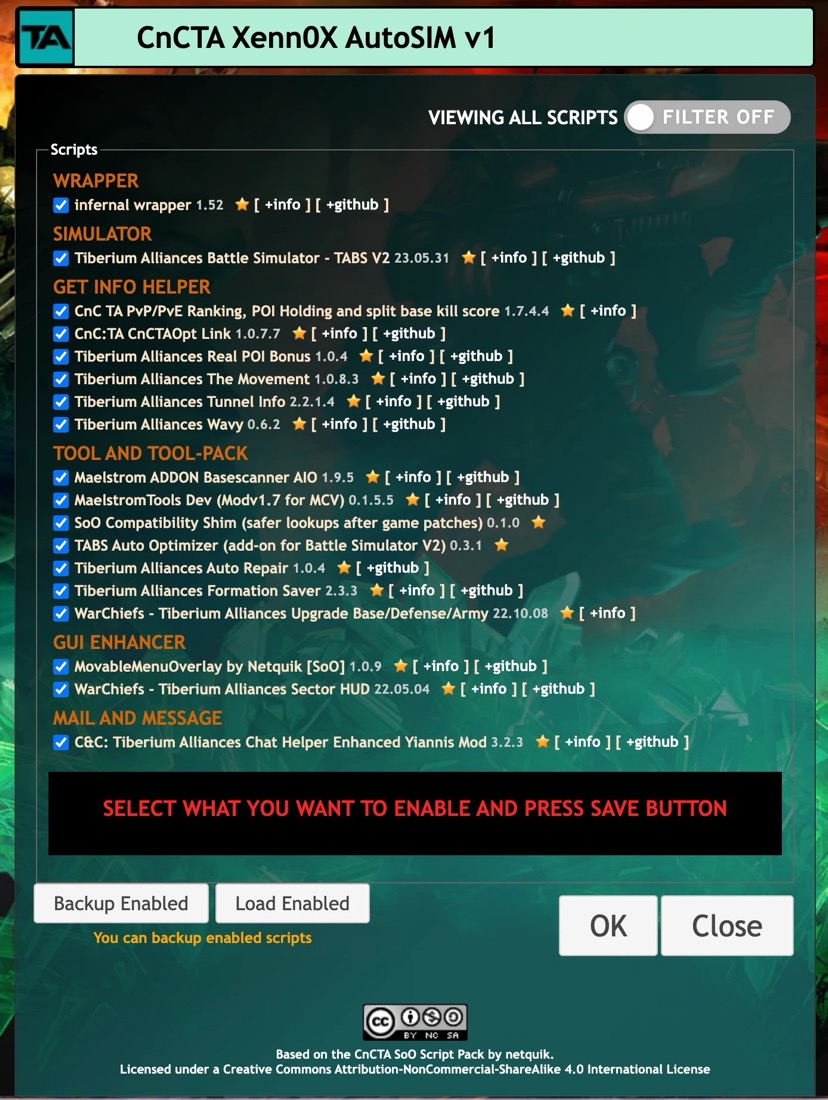
Add-on for Battle Simulator V2: searches for a better attack formation by running a queue of simulations.
Safer lookups of the game's internal names after patches. SOO_SHIM.report() in the console shows which lookups work.
Game-internal lookups now go through the compatibility shim.
Stops with a clear console message instead of breaking when a patch renames something it needs.
Two independent lookups; it reports itself as not installed if either one fails.
*.alliances.commandandconquer.com).The search logic of the Optimizer does not touch the game directly, so it is tested outside the game with recorded battle data from four Outposts. There are automated tests for the Optimizer, the compatibility shim, the wrapper, the glue code and Auto Repair.
An unpacked extension for Chrome, Edge, Brave and other Chromium browsers.
File: CnCTA-Xenn0X-AutoSIM-v1.zip (2.9 MB). SHA-256: 9ad0872b98d95e3a5aeb62b1833cd5164fdfc21f7744a738b10af730aa2d1896
chrome://extensions (Edge: edge://extensions) and turn on Developer mode.manifest.json. Make sure the extension is switched on.Open an attack on a base: under the TABS button box there is an Optimize button. In the console (F12) run:
SOO_SHIM.report()On the current game version every lookup should say ok, none “via fallback” or “failed”. To update later: replace the files in the folder and click the reload arrow on the extension.
Based on the CnCTA SoO Script Pack by netquik. The pack's options page is licensed under Creative Commons Attribution-NonCommercial-ShareAlike 4.0. Every bundled script keeps its own author and licence, for example GPL v3 for several of petui's scripts and CC BY-NC-ND 3.0 for the Basescanner AIO. The TABS Auto Optimizer and the compatibility shim are by Xenn0X.
Fan-made and unofficial. Not affiliated with or endorsed by Electronic Arts. Command & Conquer and Tiberium Alliances are trademarks of Electronic Arts Inc. The screenshots show the game's own interface and artwork, which belong to Electronic Arts.